
Step-by-Step Guide:
How to Send WhatsApp Campaign
Learn how to send test messages and bulk WhatsApp campaigns using our platform. Follow this simple guide to get started.
How to TEST Send a WhatsApp Campaign
Send a test message to your own number before launching a full campaign.
Login to Your Account
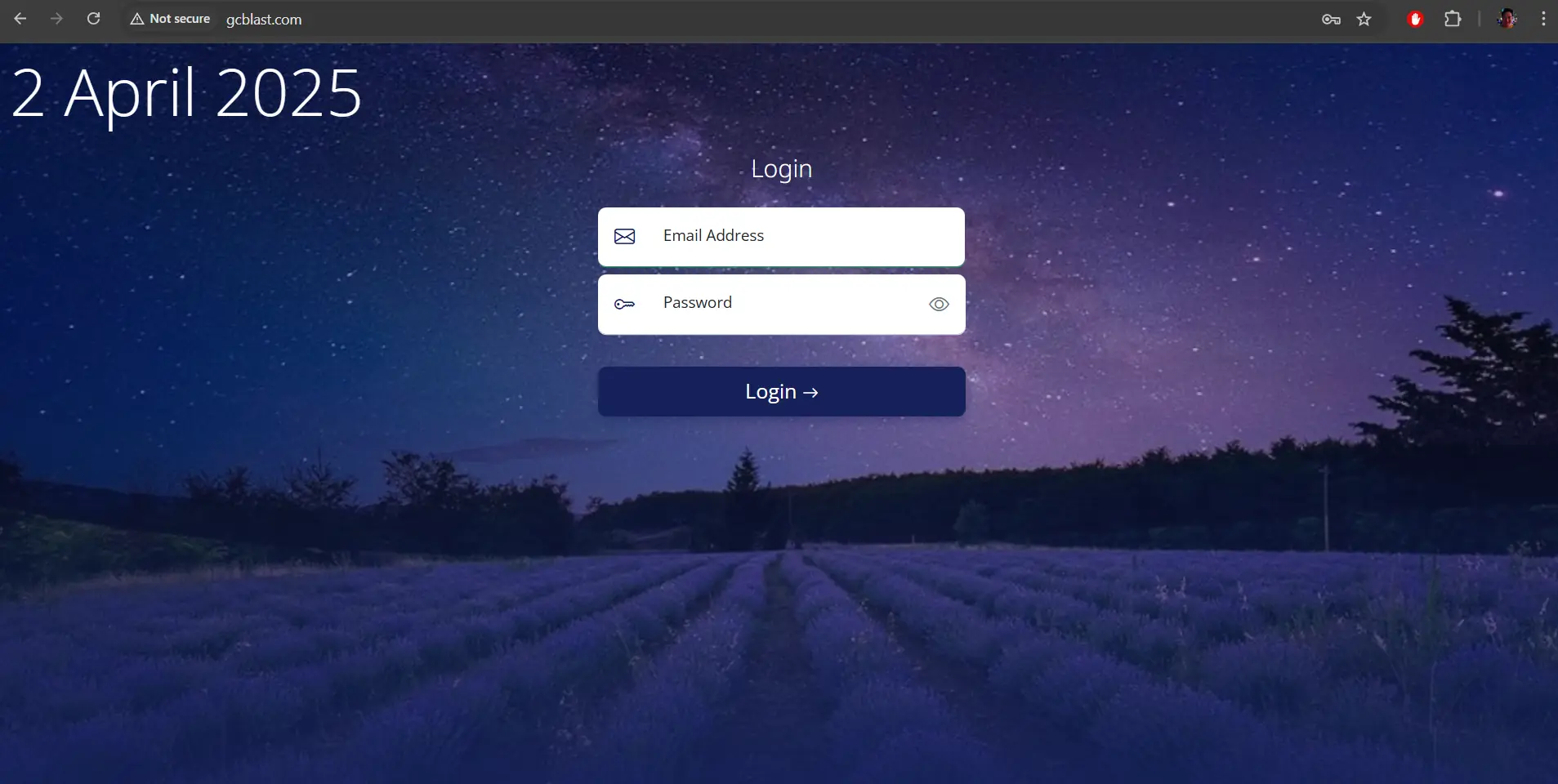
Key in your email address and password to login to the WhatsApp campaign platform.
Send Test Message
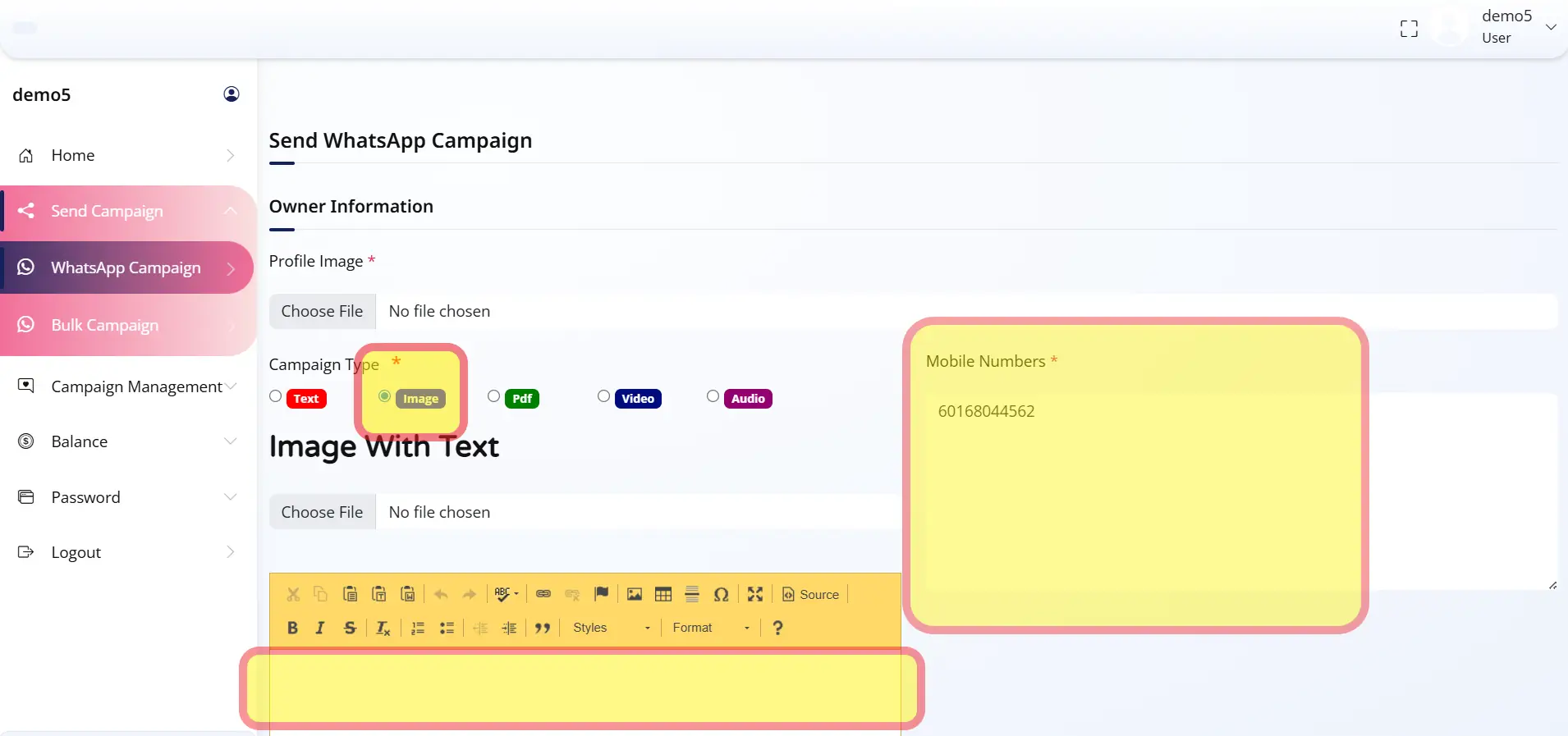
Click on "WhatsApp Campaign" to send a test message.
- Upload a Sender Profile Picture (optional)
- Choose Text only or Text with media
- Enter your message content
- Input your mobile number with country code for testing
How to Send Bulk WhatsApp Campaign
Send messages to thousands of contacts at once.
Login to Your Account
Key in your email address and password to login to the WhatsApp campaign platform.
Configure Bulk Campaign
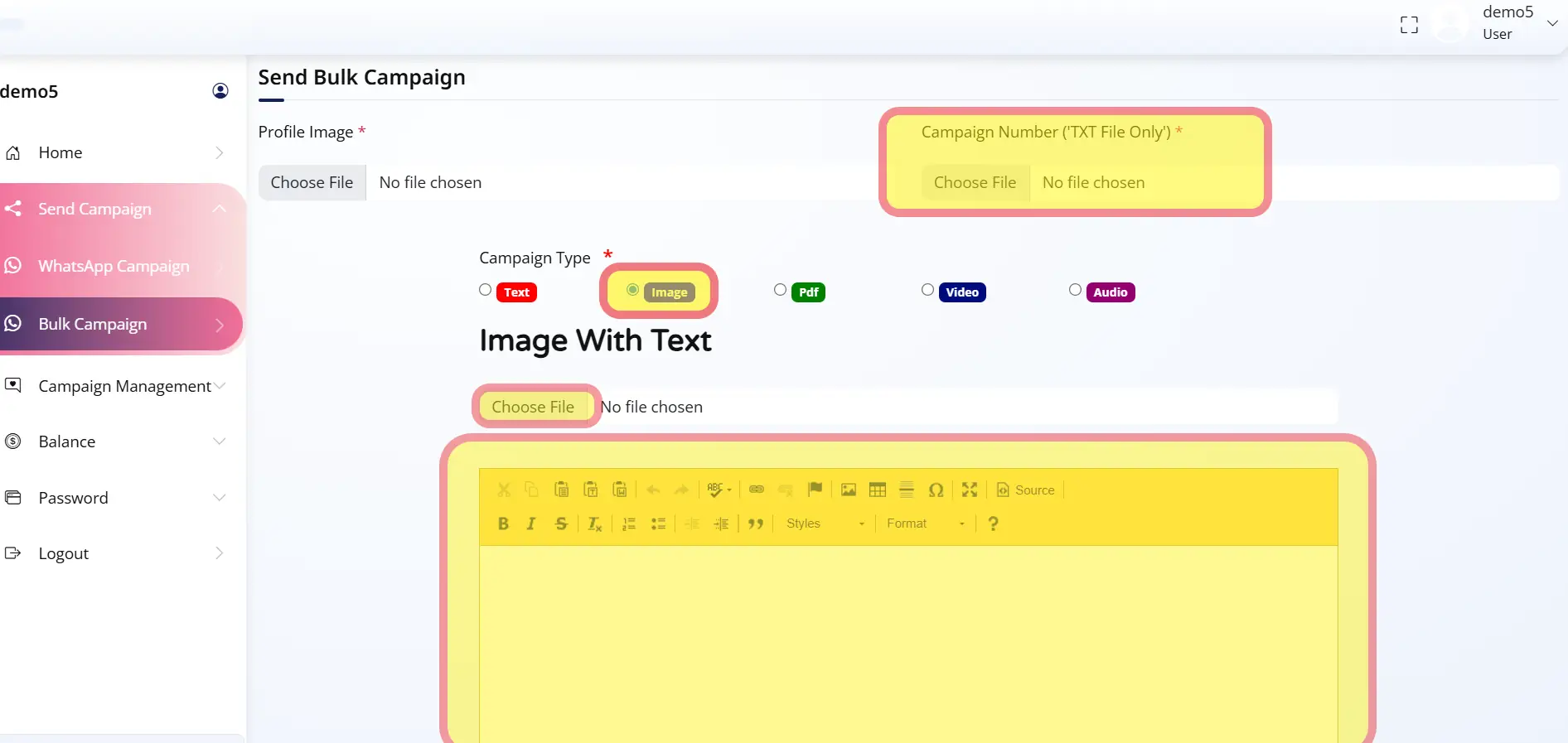
Click on "Bulk WhatsApp" to send messages in bulk.
- Upload a Sender Profile Picture (optional)
- Choose Text only or Text with media
- Enter your message content
- Upload your contact database in a Notepad (.txt) file with country codes
Download Campaign Report
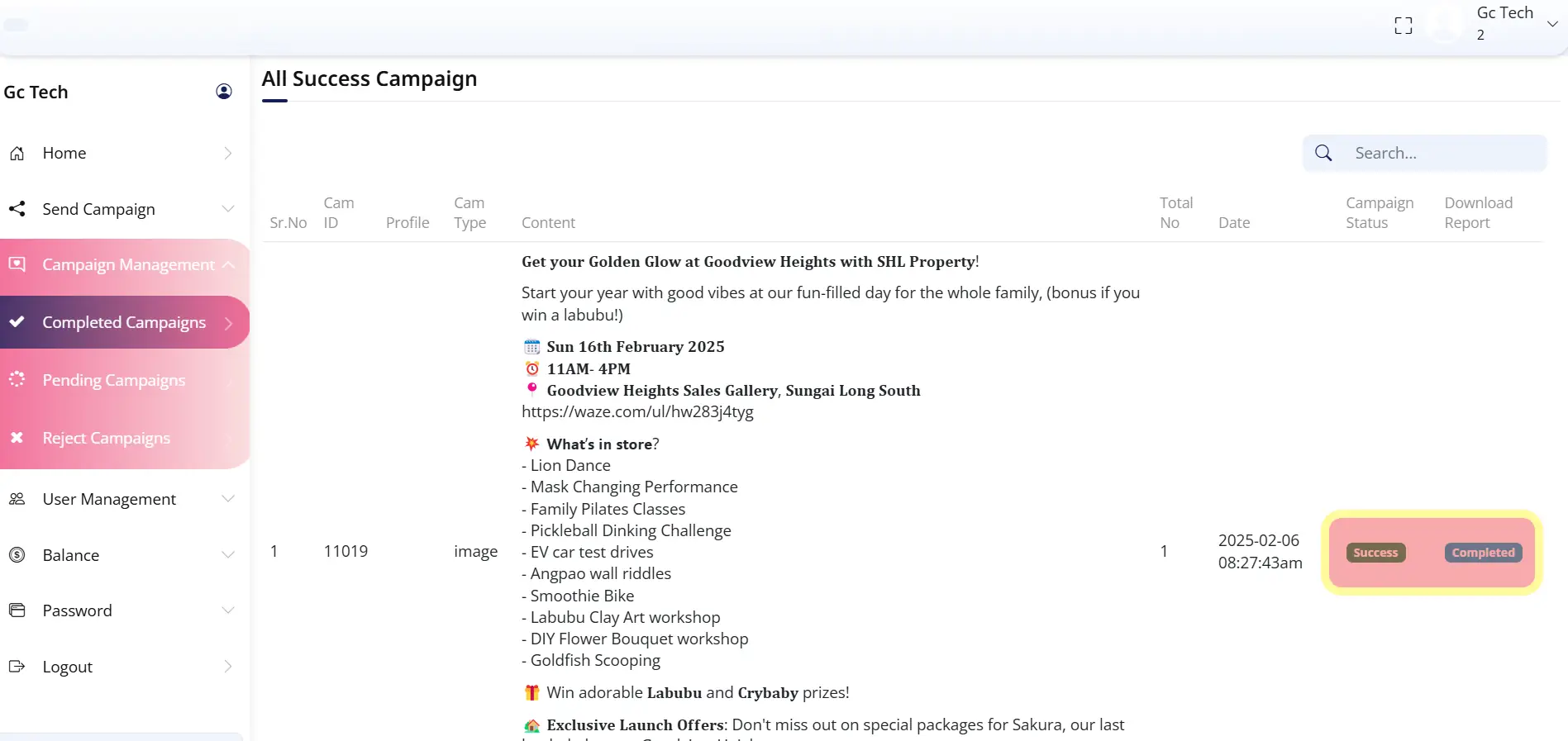
You can download the campaign report from this section once the campaign is completed.
📊 Report will be generated within 24-36 hours after the campaign ends.
📌 Important Notes
Please read these important guidelines before sending your campaign.
WhatsApp Campaign Trial Limitation
- Trial campaigns are limited to 2 sends per day only
- If the daily limit is exceeded, messages will NOT be sent
Text Formatting (Supported by WhatsApp)
You may format special words in your message using:
*Bold*
→
Bold
_Italic_
→
Italic
~Strikethrough~
→
Message Sending Time
- Delivery Window: 30 minutes – 6 hours (depends on server queue)
- Operating Hours: 10:30 AM – 6:30 PM (Monday to Saturday)
Campaign Report
- Report will be generated within 24–36 hours after the campaign ends
- You can download it once the campaign status is marked as Completed
Line Spacing Issue?
To control line spacing, use Shift + Enter instead of pressing Enter alone.
Why Is My Link Not Clickable?
Due to WhatsApp policy, links sent from unknown numbers may not be clickable.
To activate links, we recommend adding this line in your message:
(Reply "OK" to make the links work)
Delivery Rate
Estimated Delivery Rate:
No Profile Picture?
Random numbers are used for blasting, so profile pictures may appear blank or show a different logo.
Summary
Need Help?
If you have any questions or need assistance with your WhatsApp campaign, our support team is here to help.